
Home > News
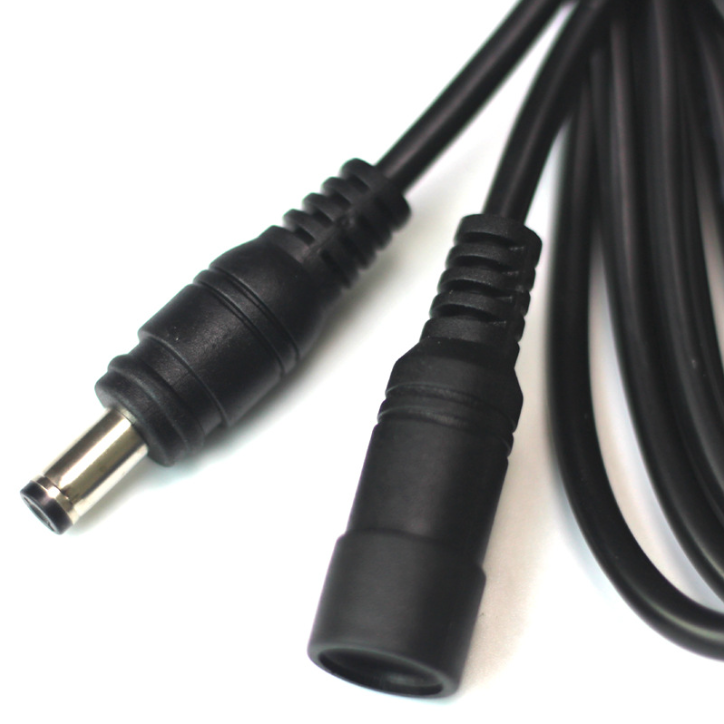
USB-to-DC cable are common accessories that draw 5V power from USB ports to supply gadgets with DC jacks. They are safe only with properly matched specifications and qualified build quality, yet shoddy wiring or mismatched parameters can easily damage the USB power source, mainboard or powered equipment. Overall safety hinges on five factors: rated voltage, operating current, wire resistance, polarity and cable craftsmanship. Standard USB outputs a fixed 5V, while DC-powered appliances run on 5V, 9V or 12V; mismatched supply voltage ranks as the top cause of burnt hardware.
Per official standards, a single USB 2.0 port delivers a maximum rated current of 500mA, and USB 3.0 supports up to 900mA. Common USB phone chargers can output 1A to 3A. A regular USB-to-DC cable merely changes the plug shape without stepping voltage up or down. If a device is rated for 9V or 12V but fed with 5V via this adapter, it fails to boot normally. Frequent under-voltage cycling stresses internal power chips, which may crack or burn out in severe cases. Conversely, supplying 9V or 12V via modified USB-DC cords to a 5V device pours excessive voltage into circuitry, instantly blowing capacitors and main control chips.
Reversed polarity is another critical hazard. A standard DC barrel plug features positive center pin and negative outer shell. Many no-name cheap cables suffer reversed internal wiring during factory assembly: USB’s red positive and black negative cores are crossed incorrectly. Plugging such reversed cables into equipment triggers reverse current the moment of connection, immediately breaking Zener diodes and power ICs inside the device. This fault frequently kills small routers, set-top boxes and LED drivers, whereas original dedicated DC adapters rarely have polarity defects due to standardized production checks.
Poor conductor material and tiny wire gauge introduce hidden thermal risks. Low-cost cables often use ultra-thin copper-clad aluminum cores. Long extension leads create severe voltage drop across the cable, forcing the USB source to boost output current to compensate. Sustained overcurrent overheats USB ports: desktop mainboards activate built-in fuse protection and cut power under overload, while cheap wall chargers may overheat, bulge or pose fire hazards. For example, a 1A load paired with ultra-fine wiring produces excessive heat and accelerates insulation aging.
Excessive load current also leads to failure. Low-power gadgets such as mini cooling fans and Bluetooth earpieces (below 300mA) work fine with USB-DC adapters. In contrast, routers, optical modems and hard disk enclosures draw over 0.8A, exceeding the native 500mA limit of USB 2.0. Even high-current USB chargers cannot offset thermal buildup from thin gauge cables under heavy load.
Follow four rules for safe application: first, only use the cable on devices rated strictly 5V; never connect 9V/12V equipment. Second, verify plug polarity with a multimeter to confirm center-pin positive before powering on. Third, pick thick 22AWG cables for relatively high-current loads and avoid long-distance wiring. Fourth, replace with original dedicated DC adapters for power-hungry hardware.
In conclusion, certified USB-to-DC cords work safely for low-current 5V appliances. Four dangerous scenarios – wrong voltage, inferior cables, reversed polarity and overloaded current – are highly likely to burn connected devices and power supplies. Always purchase formal cables with marked wire gauge and clear polarity labeling.
Contact: Jerry_Shi
Phone: +86-13652508770
Tel: +86-13652508770
Email: [email protected]
Add: LianFeng Road,XianXi Village,ChangAn Town,DongGuan City,GuangDong Province,China